
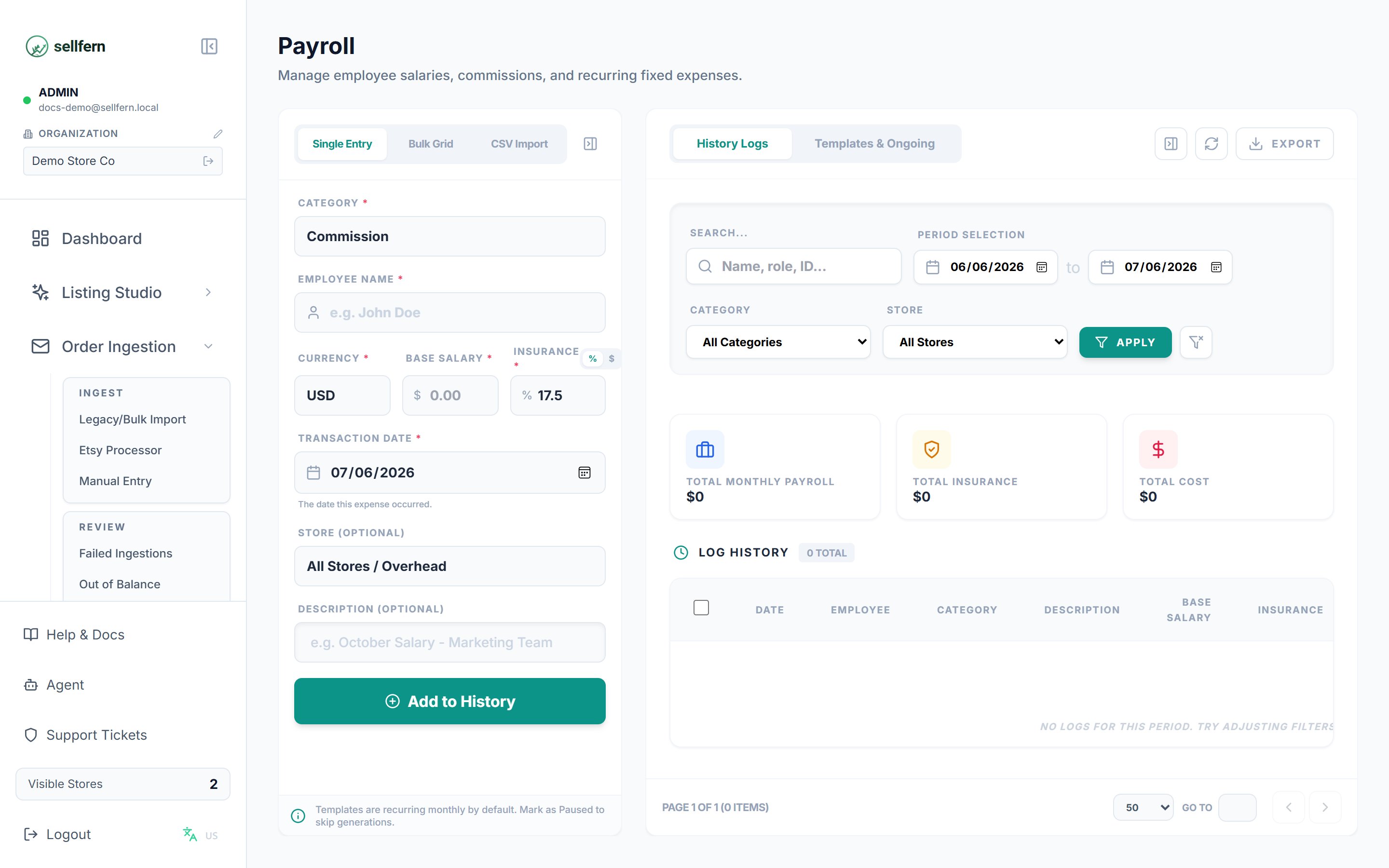
The Payroll page — recurring expenses and staff salaries
Creating a recurring entry
1
Open Payroll
Go to Payroll in the sidebar (requires the Admin role).
2
Add a new entry
Click Add and fill in:
- Category — for example Salary or Office Rent. Payroll-group categories are configured in Settings → Expense Categories.
- Employee name — for salary entries.
- Base amount and currency (multi-currency is supported, e.g. VND).
- Frequency — Monthly, Annually, Weekly, or One-off.
- Store (optional) — assign the cost to a specific store, or leave blank to treat it as a general expense.
3
Configure insurance (if applicable)
For salary entries, add social insurance in one of two ways:
- Percentage — enter a rate; the system computes the insurance amount from the base salary.
- Fixed amount — enter the insurance amount directly.
4
Save and check the next generation date
After saving, each entry shows its next generation date. On that date, Sellfern automatically creates the corresponding expense record.
Managing existing entries
- Activate / deactivate — inactive entries stop generating expenses but keep their history.
- Edit — changes to amount, frequency, or insurance apply to future generations only; history is not rewritten.
- Delete — removes only the recurring entry; previously generated expenses remain in Operating Expenses.
- Search and filter by category, employee, and store.
Payout history
The history tab lists generated payouts per period, with a per-currency summary table:
The history can be exported for accounting reconciliation.