> ## Documentation Index
> Fetch the complete documentation index at: https://docs.sellfern.com/llms.txt
> Use this file to discover all available pages before exploring further.
# Settings Overview
> Configure stores, suppliers, SKU mapping, expenses, users, and workspace behavior before importing orders.
Settings is the admin hub for configuring your Sellfern organization before importing orders or using fulfillment workflows. The Settings page groups workspace configuration into Organization, People & Access, and Operations sections.
## Settings groups
### Organization
| Tab | Purpose |
| -------------- | --------------------------------------------------------------- |
| Stores | Define the storefronts your orders are tied to |
| Suppliers | Maintain supplier records for cost and fulfillment workflows |
| Email Map | Connect sender emails to stores for Gmail order sync |
| VAT/IOSS | Configure VAT and IOSS mappings for EU and international orders |
| Exchange Rates | Set up currency mappings for multi-currency order handling |
### People & Access
| Tab | Purpose |
| ----------------- | ----------------------------------------------------- |
| Users | Create and manage team members with role-based access |
| Invite management | Review pending invitations |
| Change Password | Update your account password |
| API Tokens | Create and manage integration tokens |
### Operations
| Tab | Purpose |
| ------------------ | ---------------------------------------------------------------------------------------- |
| Expense Categories | Configure categories used by Operating Expenses |
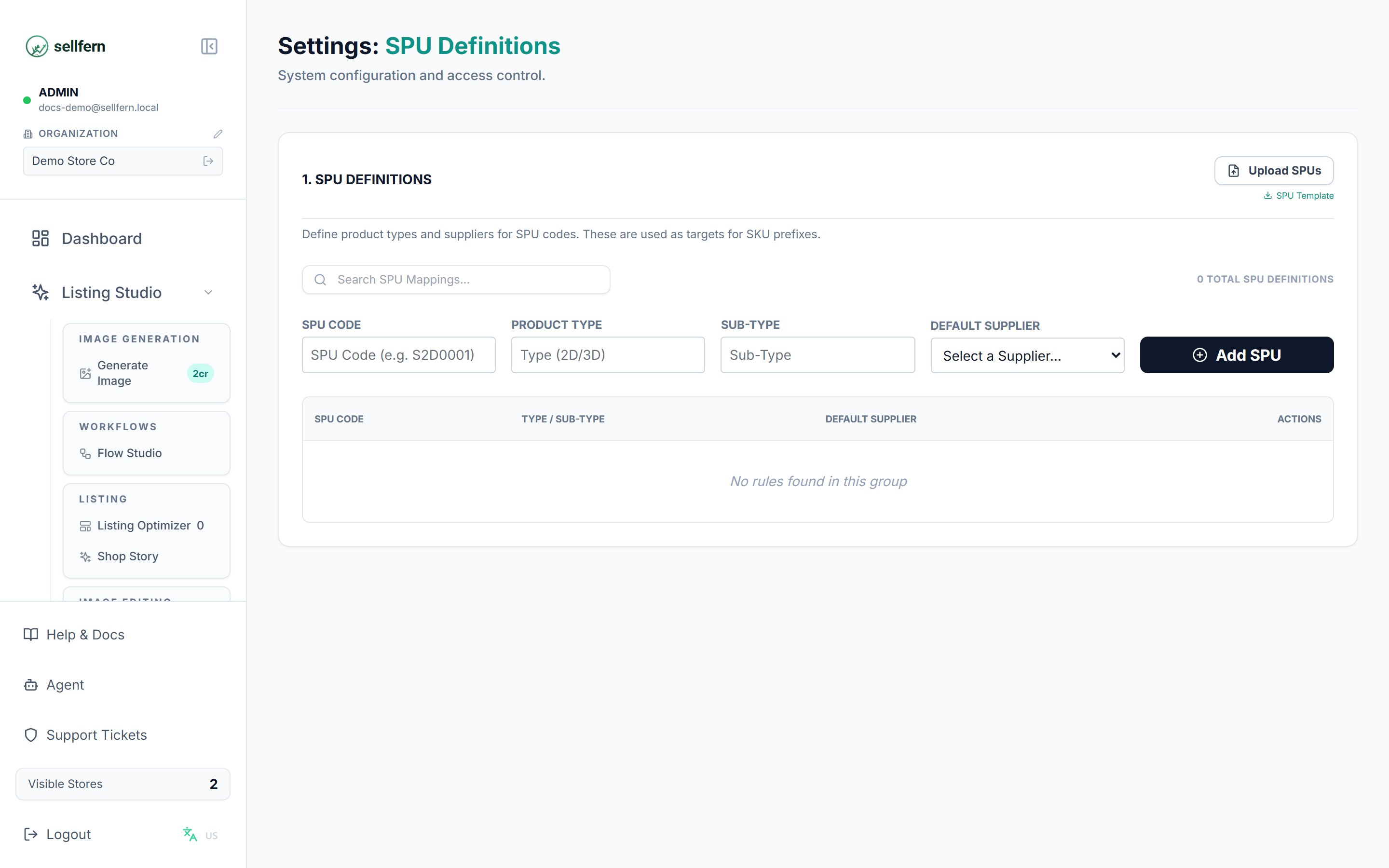
| SPU Definitions | Define internal base products with product type, sub-type, and optional default supplier |
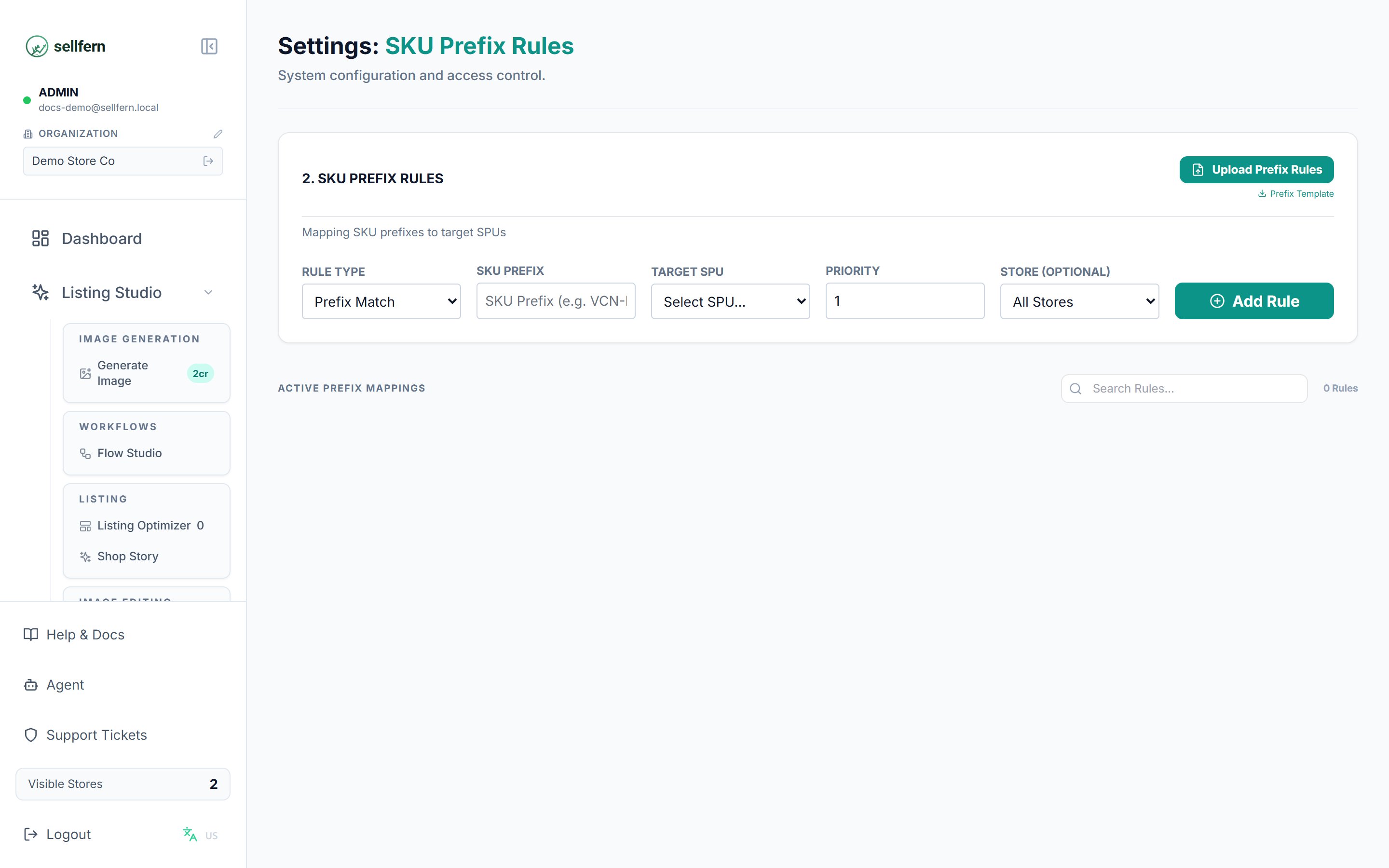
| SKU Prefix Rules | Map marketplace SKUs to SPUs with priorities and optional store scoping |
| AI Automation | Configure AI-driven automation behavior |
| Order Settings | Adjust order processing defaults |
| Listing Studio | Configure Listing Studio behavior |
## Recommended first-time setup
Complete these steps before importing a large batch of orders. Good foundational settings reduce unmatched SKUs, missing suppliers, and cleanup work later.
Go to **Settings → Stores** and create a record for each storefront you sell on.
Go to **Settings → Suppliers** and add suppliers used for production or fulfillment.
Go to **Settings → SPU Definitions** to define internal base products, then **Settings → SKU Prefix Rules** to map incoming marketplace SKUs to those SPUs.
Go to **Settings → Expense Categories** and create categories for operating expenses.
Go to **Settings → Users** and confirm each team member has the correct role, store assignments, and page permissions.
Configure stores, suppliers, and SKU rules before importing a large order batch. Skipping this step can create unmatched SKUs and missing supplier assignments across many records.
## Product mapping
Product mapping in Sellfern is split into two settings that work together.
**SPU Definitions** represent internal base products. Each SPU has a product type, sub-type, and optional default supplier. SPUs are normalized targets that Sellfern uses internally, independent of marketplace labels.
 **SKU Prefix Rules** connect marketplace SKUs to internal SPUs. Each rule has a priority and can optionally be scoped to a specific store. Use higher-priority rules for specific exceptions and lower-priority rules for broad fallback mappings.
 Settings visibility depends on your role and page permissions. If you cannot see a setting described here, ask an admin to check **Settings → Users**.
## API and automation guidance
Settings screens may include integration token management for supported workflows. Public automation documentation lives in the [developer quickstart](/developers/quickstart) and [API Reference](/api-reference/order-items/list-order-items).
Settings visibility depends on your role and page permissions. If you cannot see a setting described here, ask an admin to check **Settings → Users**.
## API and automation guidance
Settings screens may include integration token management for supported workflows. Public automation documentation lives in the [developer quickstart](/developers/quickstart) and [API Reference](/api-reference/order-items/list-order-items).